Android XR apps: the best apps for Galaxy XR
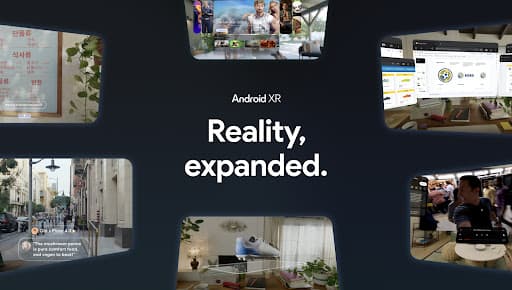
Android XR is Google's platform for headsets and glasses, starting with Samsung Galaxy XR. It uses Google Play as its app store: Google's rebuilt apps such as Maps, YouTube, Photos and Gemini, spatial games, and most regular Android tablet apps as floating windows. These are the Android XR apps worth installing first.
- Display
- Binocular micro-OLED
- Field of view
- About 70°
- Input
- Hands, voice (Gemini), controllers
- Where apps come from
- Google Play (Android XR)
How to get apps on Android XR
Open the Play Store on the headset. Apps built for Android XR are marked as such, and most other Android apps can be installed and run as 2D panels.
13 apps verified

Zoom Workplace
Join Zoom meetings with pinnable participants in passthrough or immersive modes.

Job Simulator
A comedy game where robots let you try out old human jobs using your own hands.

Google Maps
Google Maps with an immersive 3D mode for exploring real places in XR.

Google Photos
View your photo library immersively, including 2D memories converted to 3D.

YouTube
Watch 360°, 3D and VR180 videos, or regular YouTube on a giant virtual screen.

Google Chrome
Google's browser on Galaxy XR, with floating windows and WebXR support.

Netflix
Stream Netflix on a large virtual screen in your Android XR headset.

Calm
Meditation and sleep audio you can play by voice on Ray-Ban Meta, or sit inside on Android XR.

Gemini
Google's AI assistant, built into the Android XR home screen for voice help and view-sharing.

Google TV
Browse and watch movies and shows on a giant virtual screen in an Android XR headset.

Google Meet
Join Google Meet video calls on a placeable virtual screen in an Android XR headset.

Demeo
A cooperative tabletop dungeon-crawler you play with your hands on Android XR.

Walkabout Mini Golf
Walk and swing through detailed mini golf courses by hand tracking on Android XR.
Common questions
What apps work on Samsung Galaxy XR?+–
Google Play apps built for Android XR, such as YouTube, Google Maps, Google TV and Gemini, plus most phone and tablet apps as floating windows.
Does Android XR have an app store?+–
Yes. Android XR uses Google Play. Apps designed for XR are highlighted, and most other Android apps are available too.
Can you sideload apps on Galaxy XR?+–
Developers can install APK files with developer mode and ADB, like on other Android devices. Most people only need Google Play.
Does Android XR have Gemini?+–
Yes. Gemini is built in. You can ask about what you see, get help inside an app, or control the headset by voice.