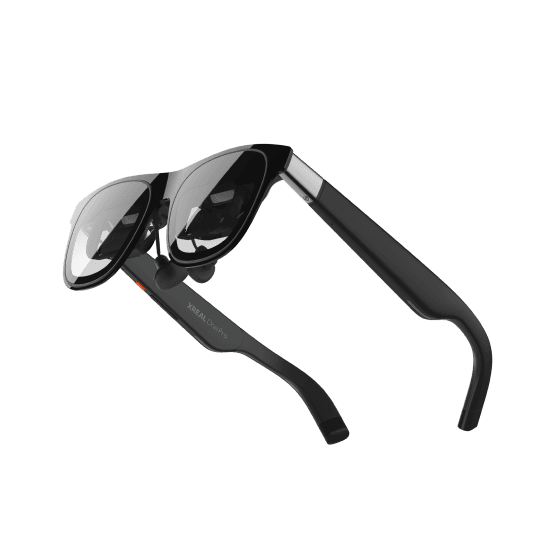
XREAL One Pro apps
XREAL One Pro are display glasses with a 57° field of view, a 0.55-inch Sony micro-OLED panel and XREAL's X1 chip for native 3DoF anchoring. They do not have an app store of their own. They show what a connected device is running, so apps come from that device. This page lists companion apps and tools that name the One Pro.
Updated · every listing links its official sources
- Display
- Binocular display
- Field of view
- About 57°
- Input
- Glasses buttons + connected device
- Where apps come from
- No app store on the glasses; shows apps running on a connected phone, PC, console or handheld, with companion apps for spatial screens
How to get apps on XREAL One Pro
Plug the glasses into a USB-C port that supports DisplayPort output, such as an iPhone, Android phone, PC, Mac, Steam Deck or ROG Ally. Install an app on that device, then use a companion app such as OnKino or MiruXR on iPhone to control the screen and play video. Switch needs the separate XREAL Hub.
4 apps verified
Productivity
Breezy Desktop
by Wayne Heaney (wheaney)
Multi-monitor virtual desktop for Linux, with head-tracked screens anchored in the air around you.
Utilities
XRLinuxDriver
by Wayne Heaney (wheaney)
The Linux driver that makes XREAL glasses work as a head-tracked display, and the base every other Linux XR tool builds on.
 Free
Entertainment
OnKino: 3D Player for XREAL
by Evgeny Kopytin
iPhone remote and 3D video player for XREAL One and One Pro glasses.
 Free
Entertainment
MiruXR
by Felipe Mansilla
Floating theater and pinned windows for XREAL glasses, free with no ads.
Common questions
Does XREAL One Pro have an app store?+–
No. XREAL's product page describes glasses that display output from a connected device, so you install apps on your phone, PC or console.
What can I connect XREAL One Pro to?+–
XREAL lists iPhone, iPad, Android, PC, Mac, Xbox, PlayStation 5, Steam Deck, Switch (with the XREAL Hub) and ROG Ally. The device needs a USB-C port with DisplayPort output.
Which iPhone apps work with XREAL One Pro?+–
OnKino and MiruXR both name XREAL One Pro in their App Store listings. OnKino acts as a remote and 3D player; MiruXR floats screens and windows in front of you.
Can I use XREAL One Pro on Linux?+–
The XRLinuxDriver project lists XREAL One and One Pro as supported, with a note to disable the glasses' own stabilisation first. Breezy Desktop builds on that driver.